Iridology Software
Professional Iridology Software: Compatibility and Workflow Guide
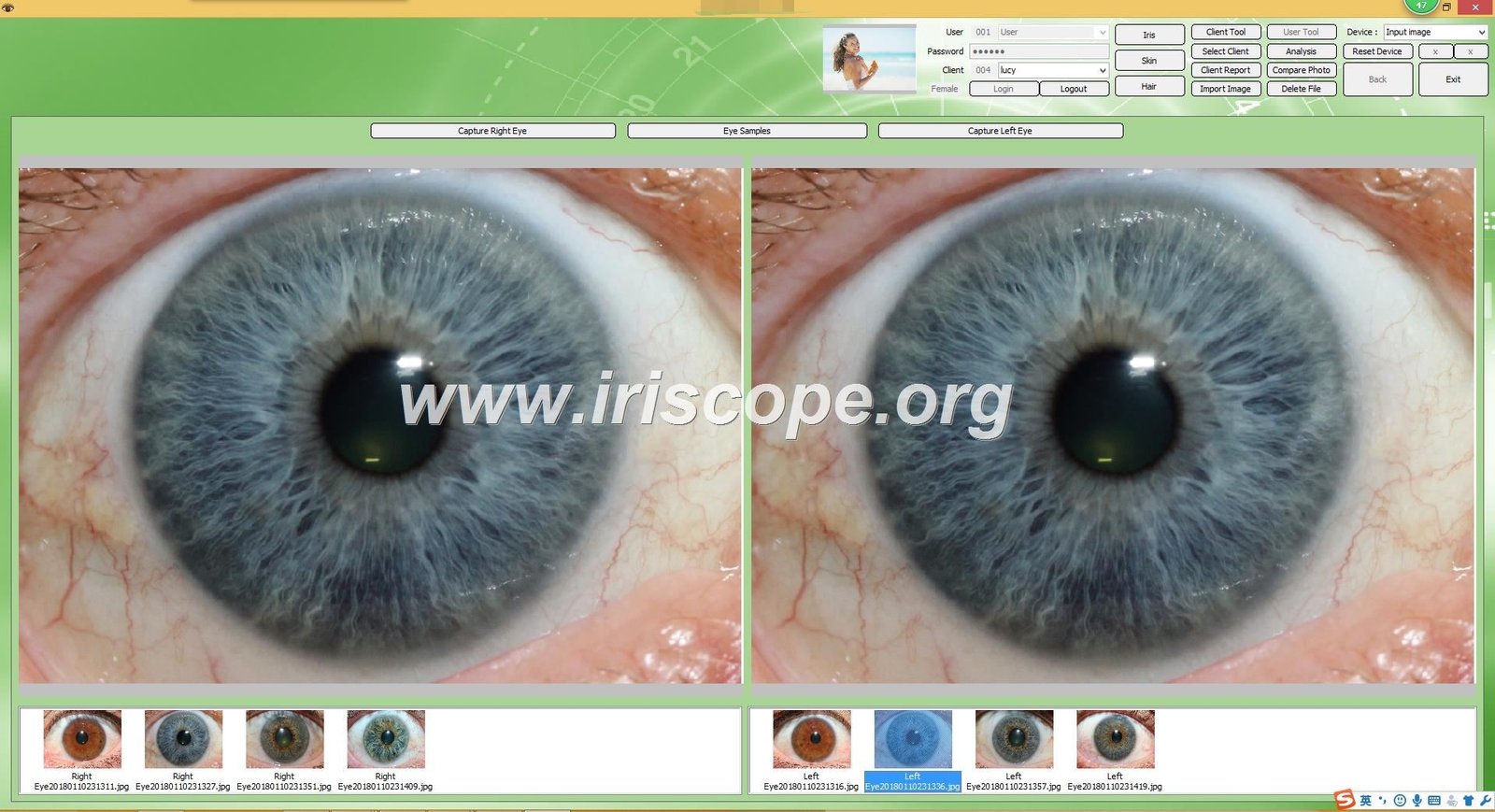
MAIKONG iridology software provides digital image archiving, grid overlay positioning, and comparative client tracking for complementary health practitioners and wellness centres. The system supports specified Microsoft Windows environments and selected Apple macOS releases, functioning alongside compatible digital iriscope hardware to organise assessment imagery. Prospective operators in South Africa should confirm operating system builds, driver requirements, and hardware camera specifications directly before placing an equipment order.
Selecting appropriate analysis software requires reviewing computer operating system architecture, hardware dongle requirements, and client reporting needs. Practical operational success depends on establishing whether a clinic requires standalone desktop assessment, multi-language client reports, or customised product catalogue integration.
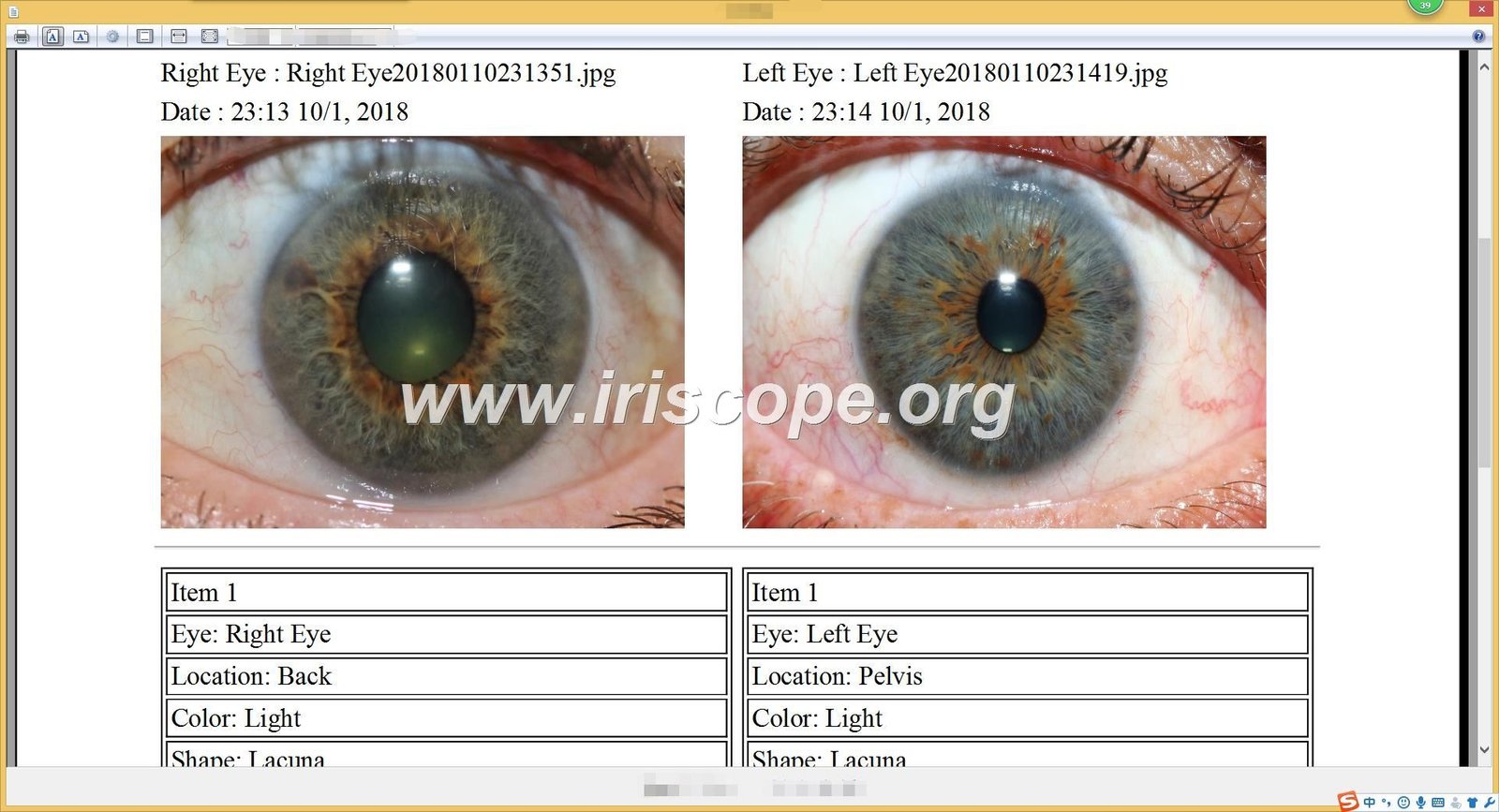
What MAIKONG iridology software is designed to do
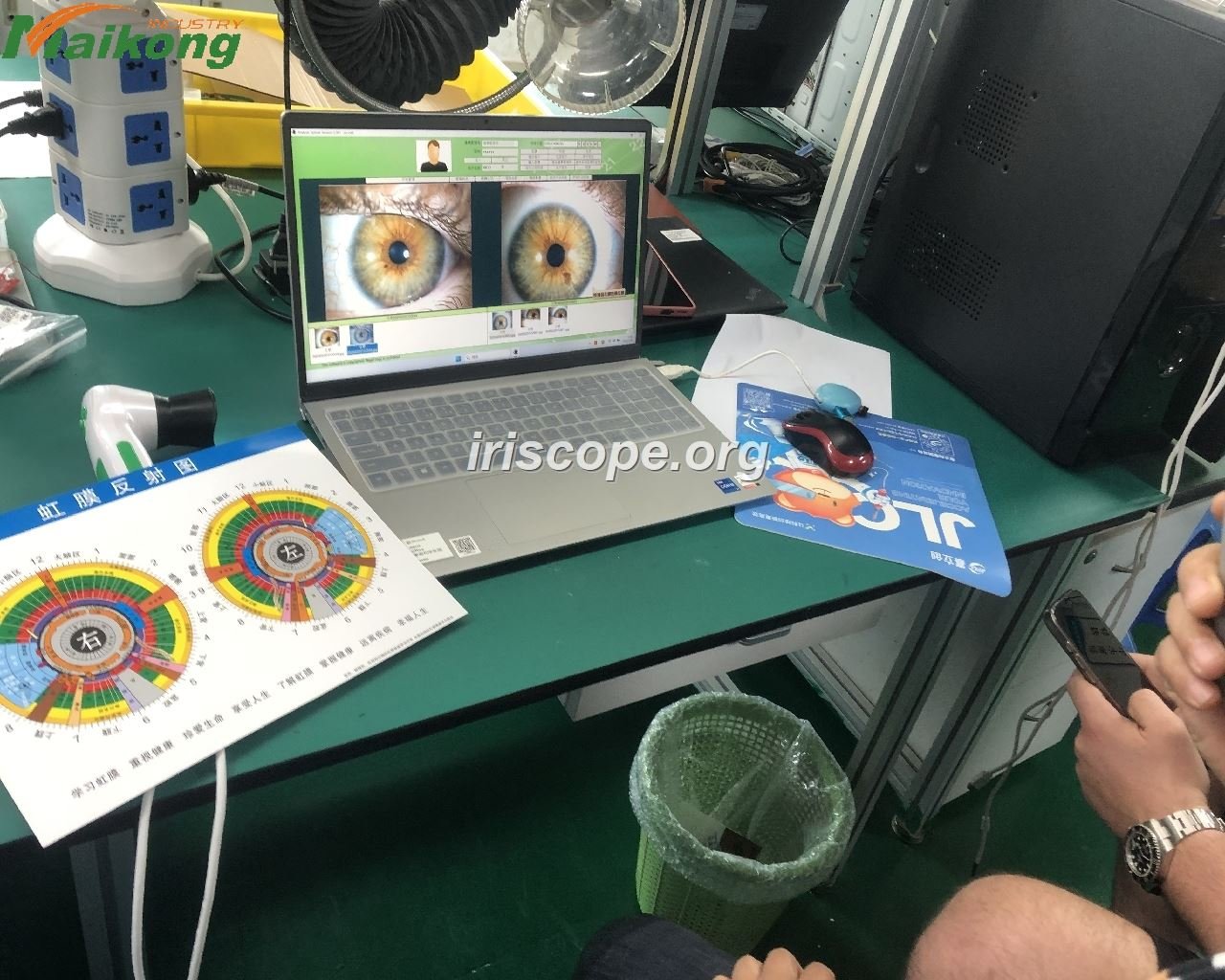
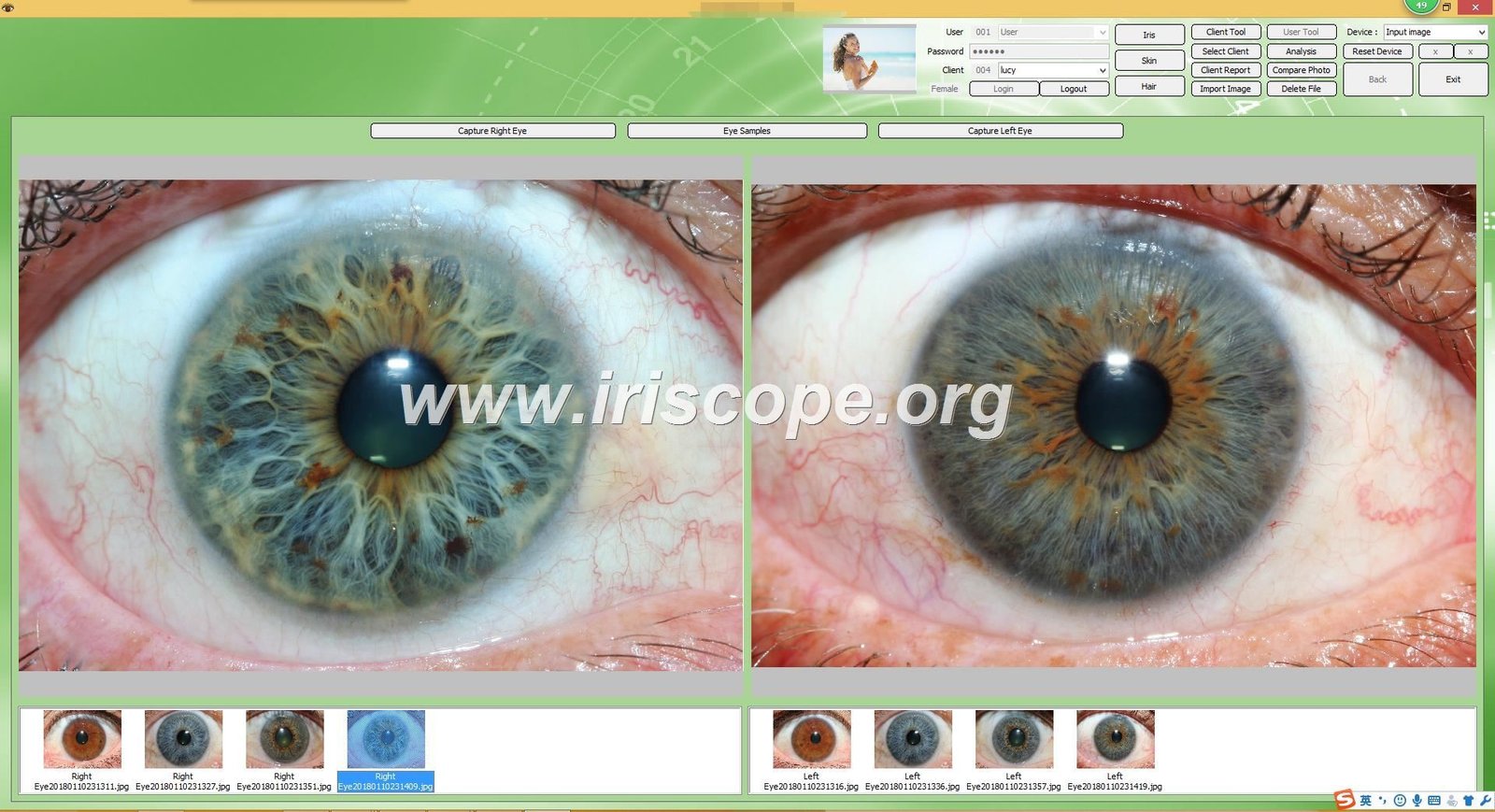
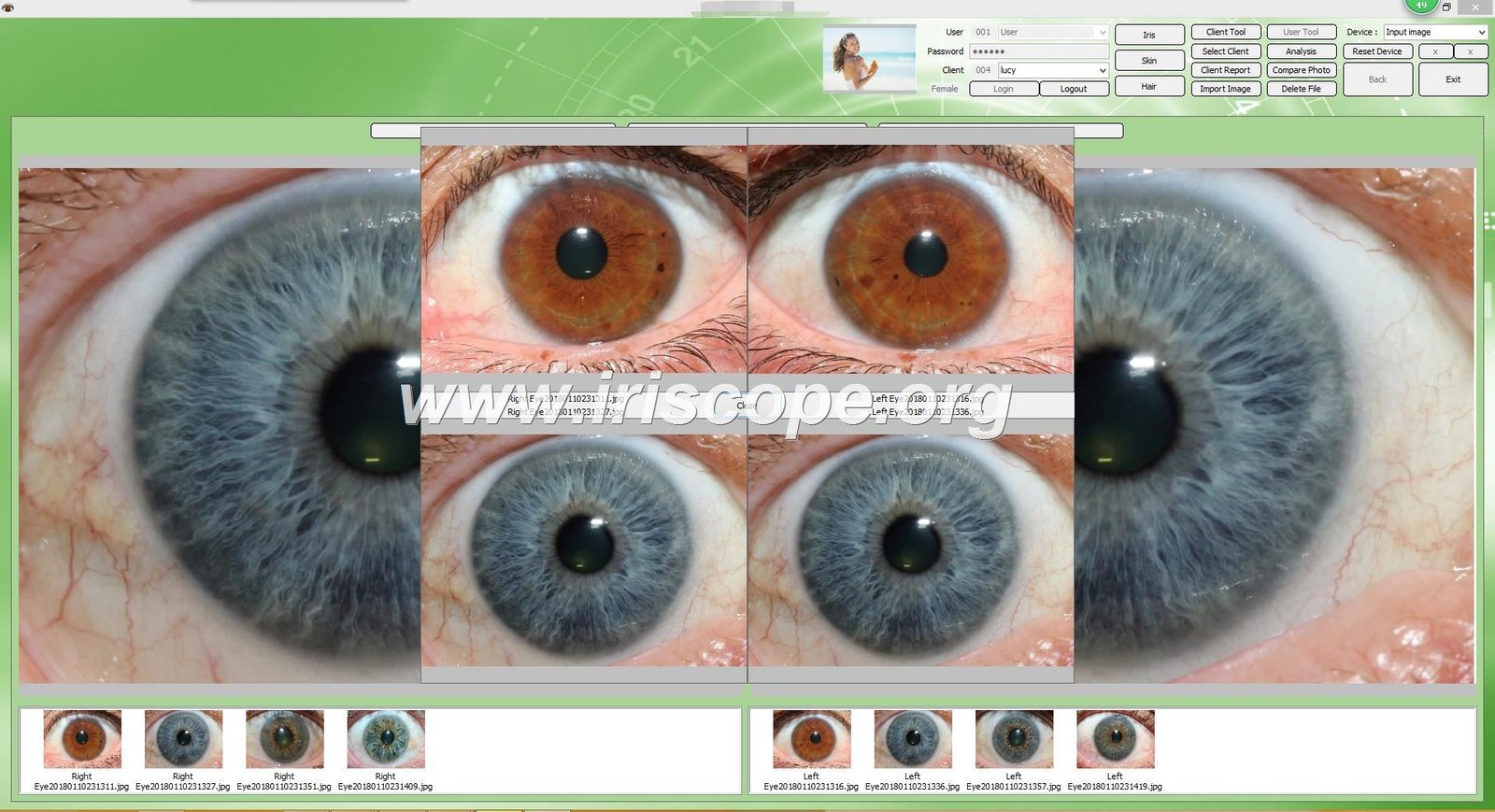
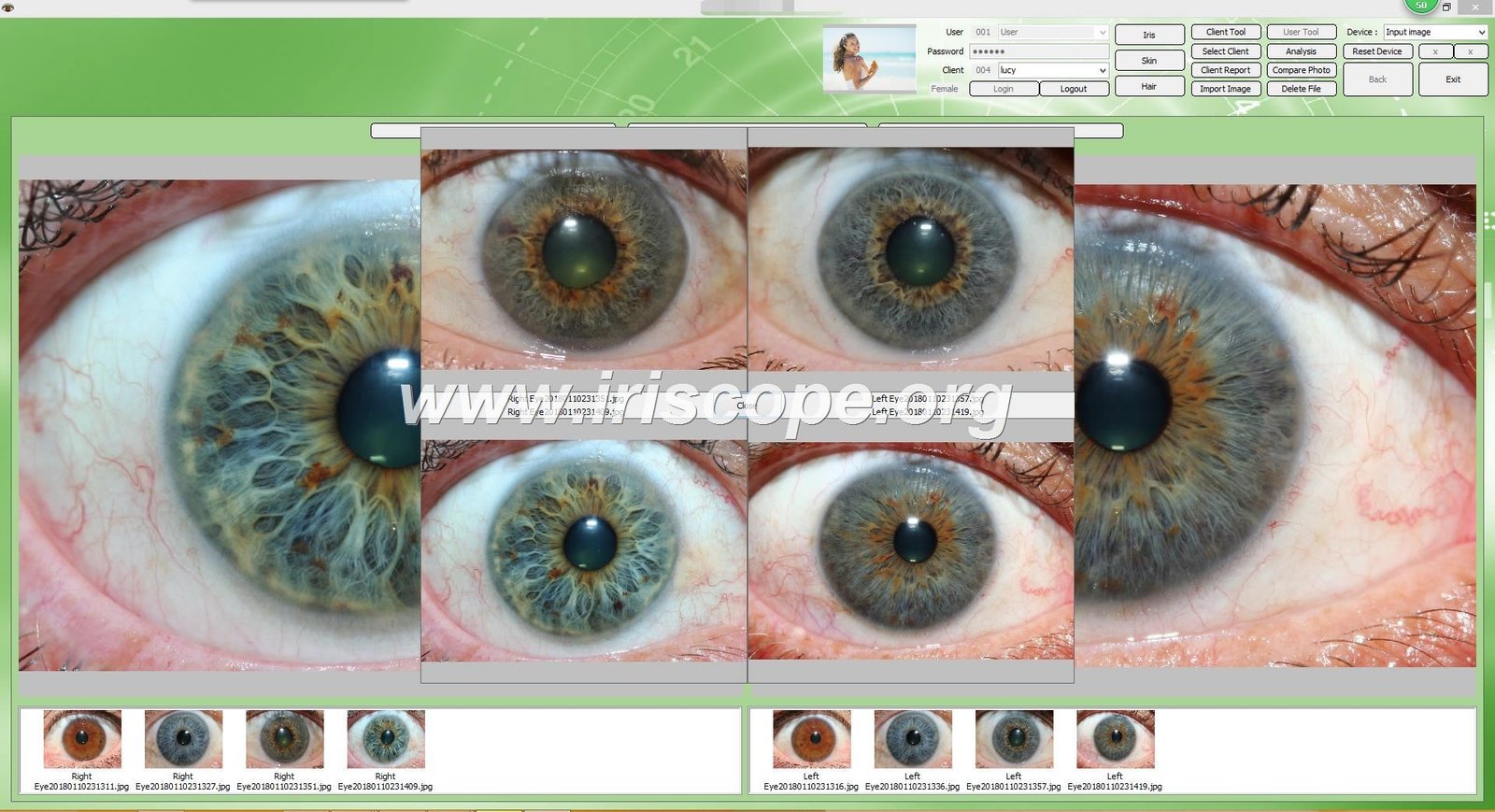
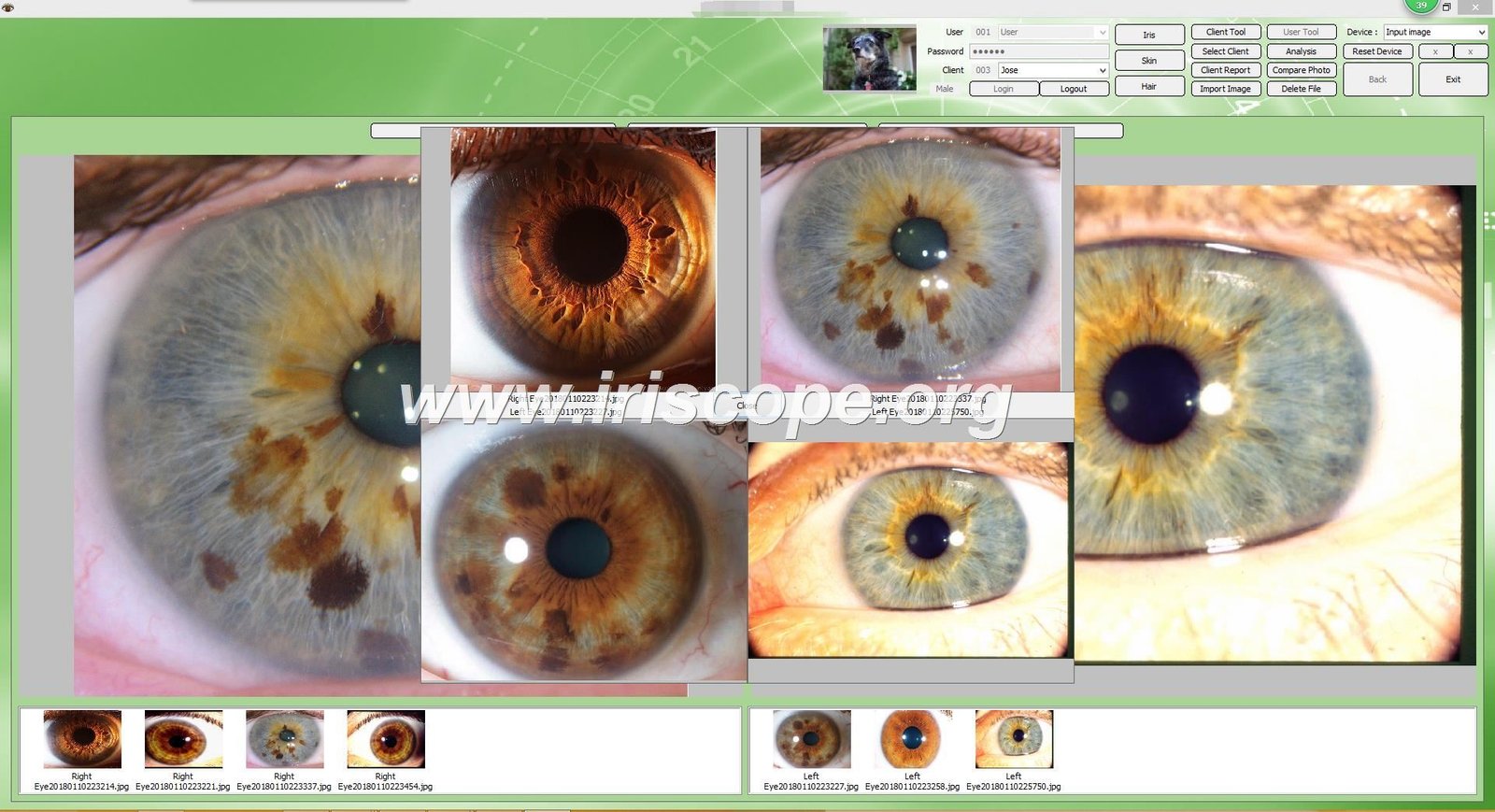
MAIKONG iridology software operates as a dedicated digital workspace to store client records, capture magnified ocular images, and compare progressive photographic sessions over time. Practitioners access structured client databases where historical eye photographs, consultation dates, and personal notes remain linked to individual profiles. Through the interface, users place standard iris zone overlays over captured images to assist in educational reviews and lifestyle consultations.
The program integrates digital camera feeds, automated image sharpening controls, and customisable reporting modules that allow wellness practices to document client visits systematically. Practitioners can navigate through historical records to conduct side-by-side visual comparisons across multiple wellness sessions.
Health and Regulatory Notice: MAIKONG iridology software and associated assessment reports are intended strictly for educational reference and general wellness tracking. The program does not provide medical diagnosis, does not detect or cure disease, and cannot replace consultation with a qualified medical doctor.
For official application downloads and documentation, refer to the verified portal for iridology software.
Main features of MAIKONG iridology software
The software suite includes functional modules designed to streamline client intake, visual assessment, and document generation during wellness sessions. The manufacturer lists ten primary functional modules within its core operational architecture.
| Feature | Category | Documented Scope and Function |
| Automatic Analysis | Algorithm Function | Applies software algorithms to generate visual markers and health-lifestyle indicator summaries for practitioner review. |
| Client Management | Database | Records demographic details including name, age, and gender within a searchable customer record database. |
| Multi-Language | Interface | Provides multi-language user interface support across seventeen distinct language localisations. |
| 3D Iris Image | Visualisation | Renders three-dimensional visual graphics of captured ocular structures for client educational discussions. |
| Backup & Restore | Data Handling | Enables export and restoration of customer files across secure local storage devices. |
| Product Suggestion | Catalogue Tool | Allows practitioners to link specific wellness items, herbs, or dietary supplements to generated lifestyle summaries. |
| Custom Reports | Documentation | Compiles customised printable reports incorporating practice branding, dietary observations, and practitioner recommendations. |
| Visual Learning | Training Tool | Contains preloaded sample imagery, comparative charts, and visual reference guides for educational instruction. |
| Texture Analysis | Visual Filter | Applies visual negative contrast and surface texture rendering filters to aid optical inspection. |
| Comparative Review | Tracking | Places past and current photographic records side by side to review visual tissue patterns over time. |
Practitioners operating in functional wellness, detox centres, ozone therapy rooms, and longevity clinics must interpret algorithmic suggestions as educational indicators rather than clinical findings.
Supported operating systems and platform limitations
MAIKONG documents software compatibility across specific desktop operating systems while excluding mobile and server platforms. Hardware compatibility remains restricted to supported computer architectures, requiring prospective users to verify current operating system patch levels prior to deployment.
| System Type | Architecture | Documented Operating System Releases |
| Windows OS | 32-bit & 64-bit | Supports Windows 2000, XP, Vista, Windows 7, Windows 8, Windows 10, and Windows 11. |
| macOS | Intel & Apple Silicon | Supports macOS 10.14 (Mojave), 10.15 (Catalina), 11 (Big Sur), 12 (Monterey), 13 (Ventura), 14 (Sonoma), 15 (Sequoia), M1–M5. |
| Linux / Unix | All Distributions | Not supported by manufacturer installation packages. |
| Mobile OS | Android & iOS | Not supported; requires a desktop or laptop personal computer. |
While manufacturer documentation notes macOS compatibility through recent iterations, Apple Silicon chip architectures (including M1 through M5 series) and legacy Windows 2000 setups should be confirmed with factory engineers before ordering. Buyers must verify whether 32-bit or 64-bit driver installers are required for their specific hardware camera pairing.
MAIKONG 2026 version language and support matrix
The MAIKONG 2026 software release incorporates dedicated language options, local backup utilities, and technical documentation across multiple regional editions. The table below reproduces the manufacturer-supplied support matrix for Windows environments.
| Language | Platform | Version | OEM | ODM | Backups | Documentation | Download |
| Malaysian | Win XP to 11 | Maikong 2026 | Yes | Yes | Yes | PDF Manual & Online Video | Online Download Path |
| Spanish | Win XP to 11 | Maikong 2026 | Yes | Yes | Yes | PDF Manual & Online Video | Online Download Path |
| Korean | Win XP to 11 | Maikong 2026 | Yes | Yes | Yes | PDF Manual & Online Video | Online Download Path |
| English | Win XP to 11 | Maikong 2026 | Yes | Yes | Yes | PDF Manual & Online Video | Online Download Path |
| Czech | Win XP to 11 | Maikong 2026 | Yes | Yes | Yes | PDF Manual & Online Video | Online Download Path |
| Polish | Win XP to 11 | Maikong 2026 | Yes | Yes | Yes | PDF Manual & Online Video | Online Download Path |
| Bulgarian | Win XP to 11 | Maikong 2026 | Yes | Yes | Yes | PDF Manual & Online Video | Online Download Path |
| Russian | Win XP to 11 | Maikong 2026 | Yes | Yes | Yes | PDF Manual & Online Video | Online Download Path |
| French | Win XP to 11 | Maikong 2026 | Yes | Yes | Yes | PDF Manual & Online Video | Online Download Path |
| Portuguese | Win XP to 11 | Maikong 2026 | Yes | Yes | Yes | PDF Manual & Online Video | Online Download Path |
| Italian | Win XP to 11 | Maikong 2026 | Yes | Yes | Yes | PDF Manual & Online Video | Online Download Path |
| Japanese | Win XP to 11 | Maikong 2026 | Yes | Yes | Yes | PDF Manual & Online Video | Online Download Path |
| German | Win XP to 11 | Maikong 2026 | Yes | Yes | Yes | PDF Manual & Online Video | Online Download Path |
| Persian | Win XP to 11 | Maikong 2026 | Yes | Yes | Yes | PDF Manual & Online Video | Online Download Path |
| Simplified Chinese | Win XP to 11 | Maikong 2026 | Yes | Yes | Yes | PDF Manual & Online Video | Online Download Path |
| Traditional Chinese | Win XP to 11 | Maikong 2026 | Yes | Yes | Yes | PDF Manual & Online Video | Online Download Path |
| Japanese (Alt) | Win XP to 11 | Maikong 2026 | Yes | Yes | Yes | PDF Manual & Online Video | Online Download Path |
Note: The manufacturer source material includes a duplicate entry for Japanese (listed as “Janpanese” in factory manifests). Buyers should confirm the exact localised release matrix and build number when requesting installation media.
Installation workflow and technical checklist
Setting up MAIKONG iridology software requires sequential physical connection of installation storage media, peripheral hardware, and licensing keys. Following the manufacturer-prescribed order prevents camera driver conflicts and licensing errors.
- Insert USB Key: Insert the supplied 4GB USB installation storage drive into an available USB port on the host personal computer.
- Run Installation: Launch the executable setup installer (.exe) and follow the on-screen dialogue prompts by selecting Next until the file extraction completes.
- Disable Internal Camera (If Required): Access Device Manager on computers with integrated webcams to temporarily disable conflicting optical video sensors.
- Connect Iridology Camera: Remove the installation storage drive and insert the primary camera USB cable into a direct, powered computer port.
- Insert Encryption Dongle: Insert the dedicated metal USB hardware security dongle to activate local operational licensing.
- Launch Software: Double-click the newly generated desktop application shortcut icon to initialise the graphical interface.
- System Ready: Verify camera illumination, focus controls, and video preview streams to confirm full system operational readiness.
Before initiating setup, technical personnel should review local administrator privileges and operational safeguards to ensure an uninterrupted configuration process.
- Verify administrative credentials to allow driver installation without operating system security blocks.
- Ensure two independent USB Type-A ports remain functional for the simultaneous connection of the camera and licensing dongle.
- Configure local security and antivirus suites to permit communications between the optical driver and desktop executable files.
- Designate a secure internal drive path or secondary external volume for daily client image and database backups.
- Acquire official installation media directly from factory distribution channels to avoid corrupted or unauthorised third-party files.
Software customisation and OEM/ODM options
Commercial buyers and regional wellness brands can order customised software builds tailored to distinct institutional requirements. MAIKONG provides private-label modification options across graphical assets, user languages, and reporting frameworks.
- Software Logo Branding: Incorporation of custom clinic or brand emblems across loading dialogues, main workspaces, and report headers.
- Interface Language Customisation: Adaptation of menus, diagnostic labels, and client forms into regional terminology.
- Feature Configuration: Modular activation or suppression of specific analytical menus according to institutional training protocols.
- Product Catalogue Integration: Direct embedding of enterprise herbal formulas, nutritional supplements, and usage instructions into client report templates.
- Hardware Packaging and Housing: Customised casing moulds, exterior colour schemes, and bespoke retail packaging for wholesale distributors.
Distributors and training colleges can review formal contract terms through the dedicated OEM development department.
Hardware and software integration with MAIKONG iriscope cameras
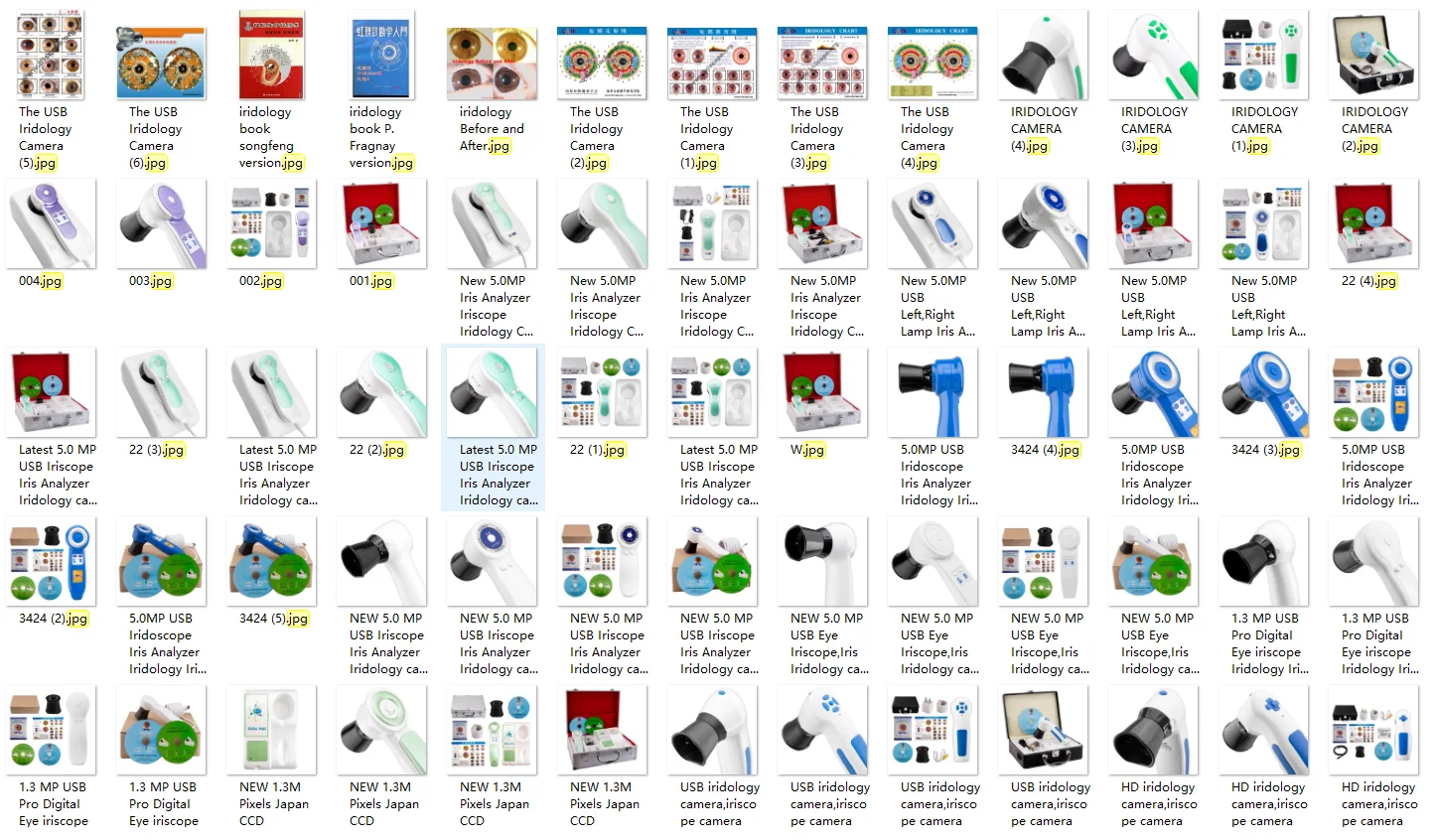
The software operates in direct conjunction with compatible MAIKONG optical hardware, such as the MK-9822U optical capture device. Proper physical connection allows direct image triggering from the handset without requiring keyboard interaction during client sessions.
| Specification | Manufacturer Value | Technical Details |
| Model Number | MK-9822U | Direct-connect USB handheld optical inspection camera. |
| Sensor Resolution | 12.0 Mega Pixels | High-resolution CCD image sensor paired with dedicated DSP processing. |
| Illumination | Circular LED Ring | Integrated lighting array positioned around coated optical glass. |
| Optical Lens | 30X Iris Lens | Plated magnification lens interchangeable with optional hair examination optics. |
| Regulatory Status | Class I / CE | Manufacturer-declared instrument classification and conformity mark. |
The standard equipment package includes a protective leather PU carrying case, optical handset, 30X lens, protective cover, 1.5-metre USB cable, printed chart, user guide, and installation CD containing system drivers. Clinicians can review hardware specifications through the Camera cataloguing portal.
Software version milestones and development history
Manufacturer records trace the operational evolution of MAIKONG analytical programs across sequential development cycles. This historical timeline illustrates the progression from early manual charting utilities to modern multi-platform releases.
| Year | Version | Key Milestones |
| 2004 | Initial Version | First commercial release featuring manual ocular image charting functions. |
| 2005 | Version 3.0 | Added Simplified Chinese localization and expanded health indicator categories. |
| 2008 | Version 3.04 | Introduced multi-language support (English, Spanish) and enhanced resolution filtering. |
| 2010 | Version 3.10 | Integrated automated assessment algorithms and 3D visual enhancement rendering. |
| 2014 | Version 3.15 | Added multi-operator workstation accounts and cloud data archiving capabilities. |
| 2018 | Version 3.18 | Expanded desktop platform compatibility to include Apple macOS operating environments. |
| 2020 | Version 3.20 | Refined automated product matching tools and cross-device profile synchronisation. |
| 2025 | Version 3.23 | Enhanced algorithmic filtering, added 3D texture views, and widened macOS release support. |
| 206 (Flagged) | Version 3.401 | Introduced Wi-Fi connectivity and enhanced 3D texture mapping modules. |
Note: The manufacturer release log lists the final entry under the date designation “206 Version 3.401”. This typographical entry in the source document requires technical clarification from factory support when ordering Wi-Fi-enabled equipment builds.
Warranty, service terms, and data support
Equipment warranty coverage and maintenance terms follow manufacturer service policies, which require return-to-factory routing for repairs. Prospective buyers should note differing warranty duration statements within factory documentation.
Warranty Terms Notice: Manufacturer source texts present differing warranty durations, listing a standard one-year period in primary product sheets and a thirteen-month period in detailed service contracts. Buyers should confirm the binding warranty duration in their written commercial quotation.
Physical camera equipment carries an estimated design life of five to ten years under typical clinic operating conditions. Warranty coverage applies exclusively to verified material defects and manufacturing malfunctions, excluding damage resulting from fire, environmental disasters, or civil disruption. Incidental operational interruptions or commercial losses are excluded from coverage terms, and damaged parcels must be reported to freight couriers upon physical receipt.
Evaluators and practitioners using MAIKONG software
MAIKONG supplies assessment equipment and companion software suites to various commercial and clinical operations throughout South Africa. The user base spans holistic health practitioners, natural health therapists, reflexologists, massage specialists, and spa operators.
- Educational Facilities: Training academies, natural health tutors, and iridology students utilising software case studies for educational instruction.
- Wellness Centres: Functional medicine practitioners, detox facilities, and longevity clinics managing ongoing client lifestyle records.
- Retail Operations: Dietary supplement retailers, herbal dispensaries, and direct sales consultants incorporating product suggestions into client reports.
- Equipment Resellers: Medical device distributors, e-commerce merchants, and wholesale importers seeking regional supply agreements.
- Commercial Brands: Private-label wellness enterprises procuring custom OEM hardware and software bundles.
Pre-purchase checklist for South African buyers
Reviewing specific operational parameters prior to equipment procurement prevents installation delays and software mismatches. Practitioners in South Africa should confirm each of the following technical points before dispatch.
- Confirm exact operating system compatibility for host Windows builds or specific Apple macOS versions.
- Verify whether host hardware requires 32-bit or 64-bit device driver installation files.
- Check that the order bundle contains the physical 4GB USB installation key and metal hardware security dongle.
- Establish whether client reports, interface languages, or product directories require bespoke factory pre-configuration.
- Review designated data export workflows to maintain regular backups of client directories on external media.
- Clarify the return-to-factory freight protocol and confirm whether the 12-month or 13-month warranty term applies to the invoice.
- Determine whether stock dispatches from domestic regional warehouses or direct from overseas factory facilities.
Direct manufacturer support and distribution partnerships
MAIKONG maintains manufacturing facilities specialising in optical assessment hardware and digital imaging software, operating under ISO9000 quality management standards. With factory inventories supporting regional supply chains, the company supplies OEM hardware engineering, private-label branding, and software modifications to international partners. Commercial enterprises and health equipment dealers across South Africa can establish regional distribution agreements directly with factory management.
Establish South African Distribution or Order Equipment
Practitioners and commercial distributors seeking verified software versions, written warranty terms, or wholesale equipment quotations can connect directly with MAIKONG factory representatives.
Direct written inquiries can be submitted via email to Lucy@iriscopes.org, via WhatsApp messaging through WhatsApp Support, or through the official website at iriscopes.org.
Frequently asked questions about iridology software
What operating systems are compatible with MAIKONG iridology software?
MAIKONG documentation indicates support for Microsoft Windows platforms from Windows 2000 through Windows 11, alongside Apple macOS versions from 10.14 through macOS 15. The software does not operate on Linux distributions, Unix, Android, or iOS mobile systems.
Does MAIKONG iridology software provide clinical medical diagnosis?
The software does not provide medical diagnosis or detect specific diseases. Generated reports and algorithmic indicators serve strictly for educational assessment, lifestyle guidance, and general client health management.
Why does the system require a USB hardware security dongle?
The metal USB hardware dongle functions as an encryption key that verifies software licensing during program launch. The application will not operate unless this dedicated key remains inserted into a computer USB port.
Can wellness clinics customise the software with their own branding and products?
Practices can request OEM customisation to incorporate custom logos, specialised interface languages, and specific nutritional supplement directories. These customisation options must be arranged with factory engineers prior to order dispatch.
Which warranty term applies to MAIKONG software and camera equipment?
Manufacturer materials contain conflicting statements specifying both a one-year warranty and a thirteen-month maintenance agreement. Buyers must verify the binding duration on their official written quotation and purchase invoice.
Next steps for iridology software evaluation
Selecting reliable assessment software requires matching computer operating systems, USB hardware configurations, and client documentation needs. Ensuring that camera drivers, hardware encryption dongles, and warranty provisions are verified before purchase maintains smooth clinic integration. Practitioners and prospective distributors in South Africa should obtain formal written specifications and software build numbers directly from factory representatives.