


Portable iriscope workflow for mobile wellness clinics in South Africa
Quick answer
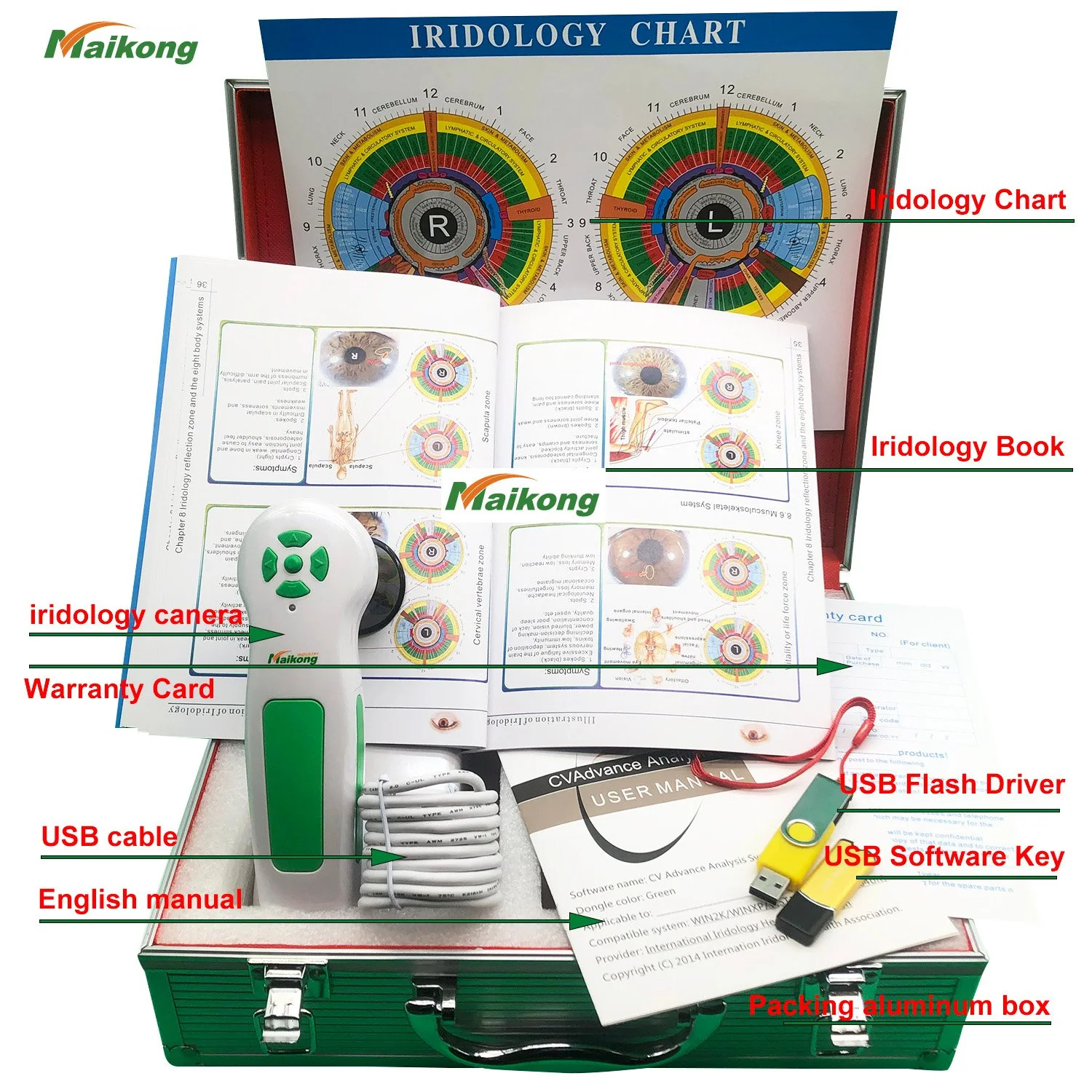
Yes — a properly configured portable iriscope can meet the practical needs of a mobile wellness clinic in South Africa for consistent, repeatable iris photography. The device we supply (MAIKONG MK9822U) includes the core hardware and software features you need for mobile use — 12 Megapixel capture, LED adjustable lighting, USB 3.0 connection and USB power, manual/auto focus and an included calibration chart — but reliable field operation depends on a small set of operational choices we describe below (power and backup, mounting and patient positioning, calibration routine, data handling and hygiene). Ask suppliers for sample images, a short demo and written answers on local electrical or regulatory questions before you buy.
Contents
Essential device facts to confirm before you rely on a unit in the field
We list the device facts we supply here so you can see how each item affects a mobile workflow. These are company-provided product parameters for the MAIKONG iriscope model referenced below; use them to design capture routines and an RFQ.
Use the table above as a checklist: the camera resolution and lighting determine image detail and exposure latitude; USB 3.0 and USB power mean the unit runs from a laptop or powered hub without an extra mains adapter; the calibration chart is necessary for repeatability in a mobile setting.
Quick checklist for a mobile setup
Before each day of rounds make sure you have:
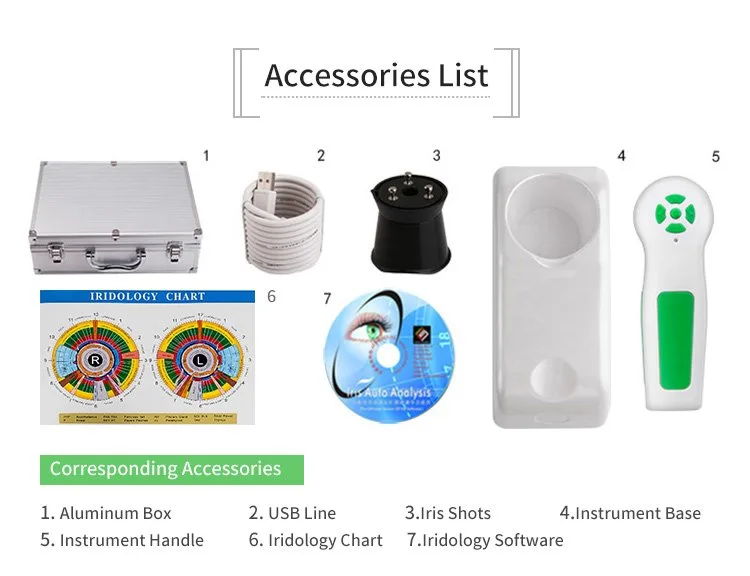
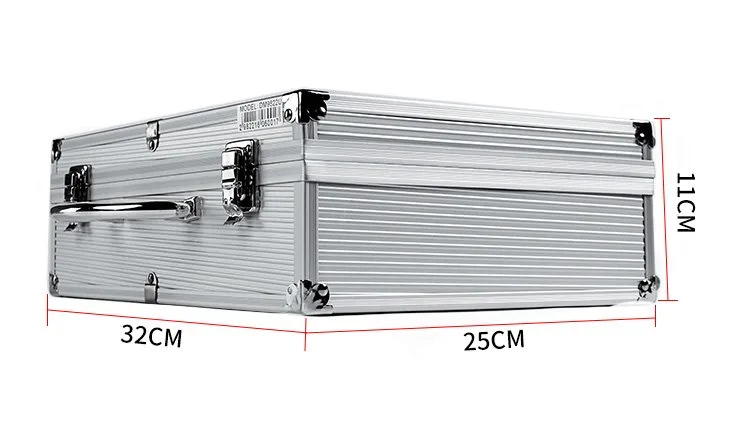
- Hardware: MAIKONG MK9822U in its protective case, USB 3.0 cable, calibration chart and manual.
- Computer: laptop or tablet that runs MAIKONG comparable provider SOFTWARE 2026 — check whether your device is Windows 7/8/10/11 or Apple Mac with M1–M4 chip.
- Power: a laptop with good battery life and a USB power bank or vehicle inverter for extended sessions; a small powered USB hub if you need stable USB bus power.
- Mounting: a compact, adjustable headrest or desktop tripod with soft forehead rest for repeatable alignment.
- Data: external SSD or encrypted USB drive for backups; forms and consent templates printed or on-screen.
- Hygiene: alcohol wipes, single-use eye covers if needed, microfibre cloths for optics and disposable gloves.
Step-by-step capture workflow for a mobile client visit
1. Setup and warm-up
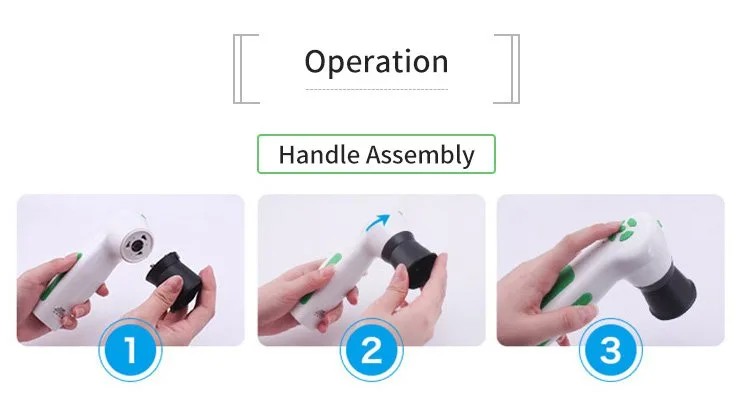
Unpack and connect the MK9822U to your laptop via USB 3.0. Launch MAIKONG comparable provider SOFTWARE 2026 and perform a quick calibration against the included chart before the first client of the day. Confirm LED brightness and that auto-focus engages, if you plan to use it.
2. Positioning the client
Seat the client in a stable chair, height adjusted so their eyes are level with the ocular opening. Use a simple forehead and chin rest or a compact head stabiliser. A consistent subject-to-lens distance produces repeatable results; mark the rest with tape if needed.
3. Lighting and exposure
Use the iriscope’s LED brightness to balance overall exposure. Avoid strong ambient sunlight or direct overhead fluorescents that create reflections; diffuse natural light is fine. If auto-focus struggles, switch to manual focus and adjust until iris detail is sharp.
4. Capture
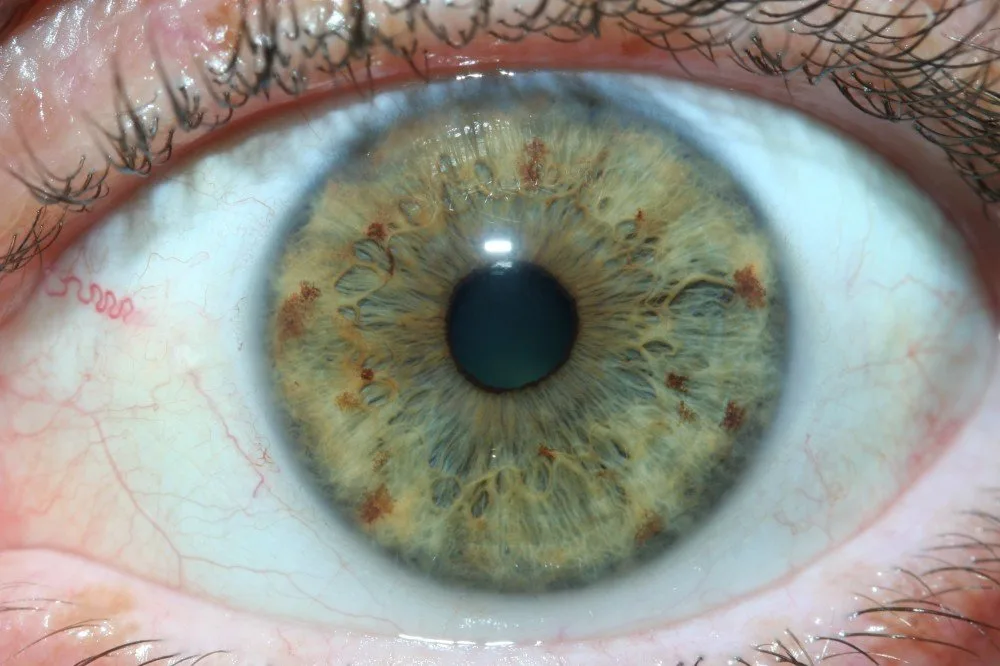
Establish a short verbal script for each capture: ask the client to look at a fixed point to control fixation; capture left and right eyes separately; take two frames per eye (primary plus a confirmatory shot). Save images using a consistent filename convention (clientID_eye_date).
5. Save and back up
Immediately copy images to an external drive or cloud folder when you return to base. Maintain an encrypted copy for patient records if local data protection rules require it.
Software and compatibility notes
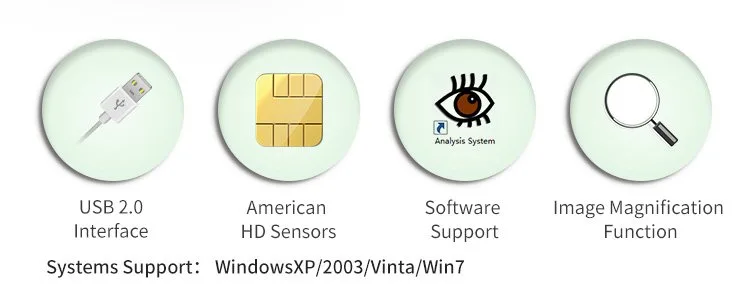
MAIKONG comparable provider SOFTWARE 2026 (version 2026 3.401) is supplied to work on Windows 7/8/10/11 and Apple Mac OS M1–M4. Confirm the exact build you will run on your laptop and whether any company-specific drivers are required for Mac—which can be important when working offline on mobile rounds. Export formats and integration with your clinic records depend on the software’s export options; request a short list of supported file types (JPEG, TIFF, DICOM if applicable) when you ask for a demo.
Calibration, image-quality checks and routine QA
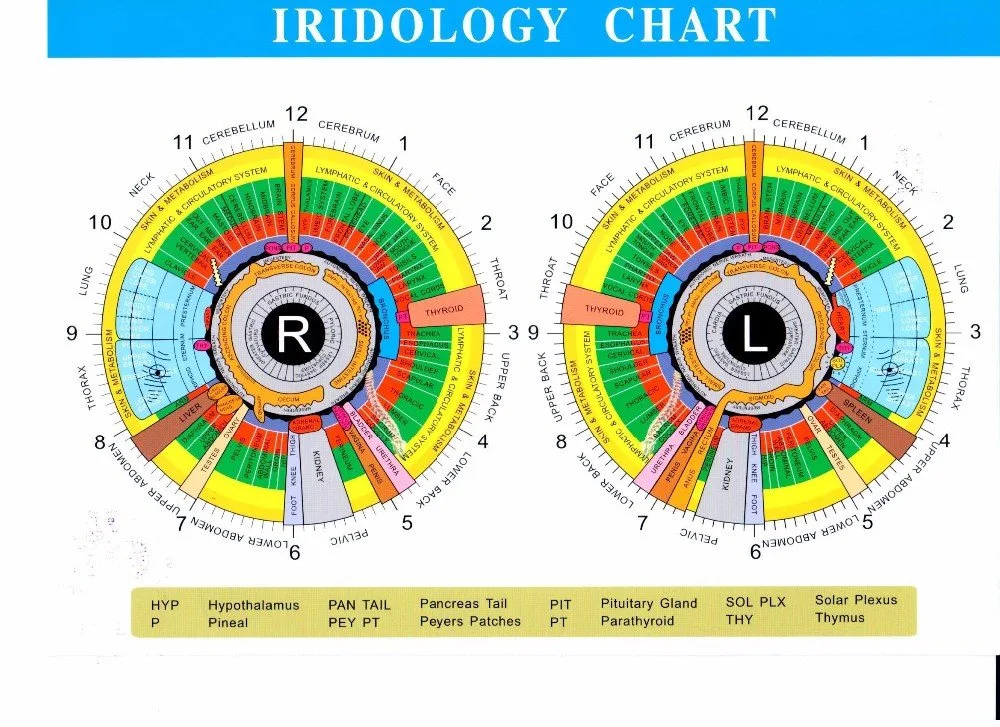
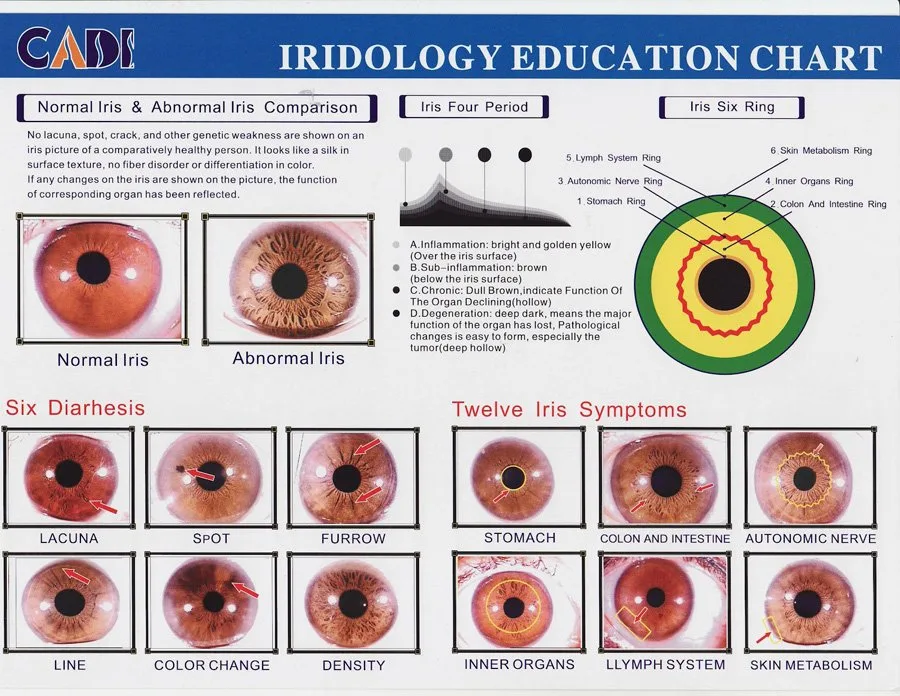
Use the included calibration chart daily, and whenever you change LED brightness or update software. Our suggested QA checklist for the start of each shift:
- Verify calibration chart reads correctly in software.
- Confirm focus on a printed high-contrast target at the same working distance as a human eye.
- Check image sharpness and colour balance by capturing a known reference.
- Log any rejected images and why (motion blur, reflection, out-of-focus) to reduce repeat errors.
Connectivity, power and on-the-road practicalities in South Africa
USB power simplifies mobile use: the MK9822U runs from a laptop’s USB port or a powered USB hub. For long days we recommend a small UPS or quality power bank that supports USB 3.0 output and a powered hub with its own battery. Be pragmatic about offline operation: ensure your MAIKONG software license and device drivers are installed and tested before you leave base so you need no internet during capture.
Data backup: copy images to an encrypted external SSD at the end of each day. If you sync to cloud storage, do so from a secure network back at the clinic to avoid data charges and potential security risks while on the move.
Patient consent, hygiene and record steps for mobile services
Carry a printed or tablet-based consent form that explains the imaging, usage and storage of photos. Keep appointments staggered to allow cleaning between clients. Use alcohol wipes for forehead/chin rests and microfibre optics cloths for lenses. Note in the clinical record who captured the image, the device model (MK9822U) and the calibration reference used for future audits.
Packing, transport and setup checklist for daily rounds
- MAIKONG MK9822U in protective case with USB cable (one extra cable as spare).
- Calibration chart and printed consent forms.
- Laptop/tablet with charged battery and latest MAIKONG software installed.
- Portable power bank or inverter, powered USB hub, external SSD for backups.
- Mounting aid (small tripod or head/chin rest), antiseptic wipes, glove pack, microfibre cloths.
- Labelled cable bag and a simple checklist to confirm setup at each site.
Known limitations and supplier verification questions
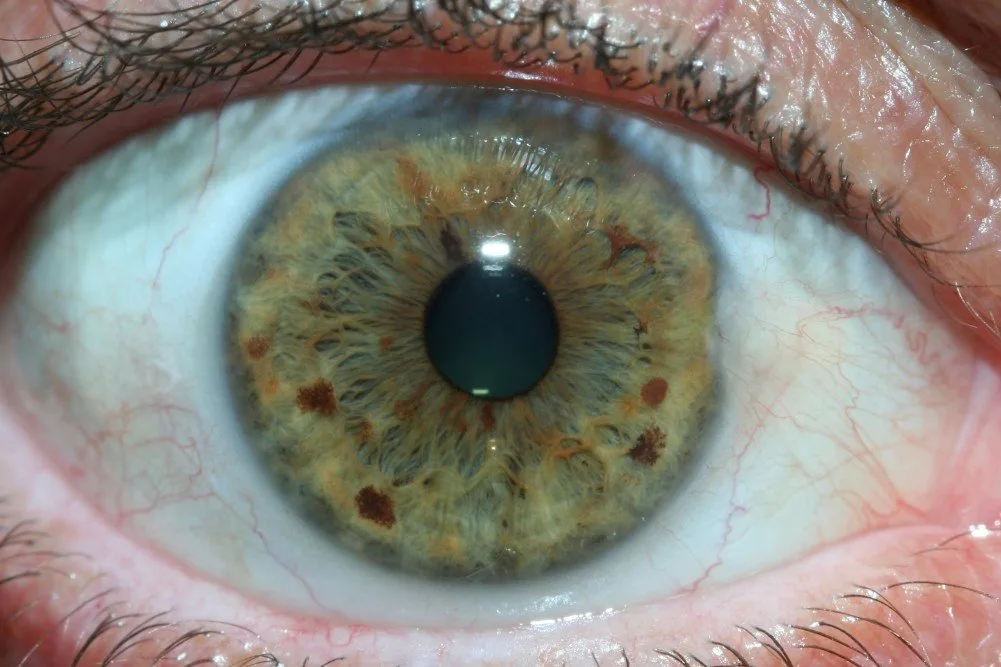
What we provide are device specifications and accessories that support a mobile workflow. Before purchase, confirm these items with your supplier and put them in writing:
- Request sample, full-resolution images or a short remote demo so you can assess image quality on your clinic monitor.
- Ask whether the supplied software build supports your exact laptop OS and whether drivers are required for Mac installations.
- Confirm warranty coverage and what a “1 Year” warranty covers in practice (parts, labour, return shipping) and any local support options available in South Africa.
- Ask about local electrical or import requirements if you plan to use mains-powered accessories; our product uses USB power but local regulations still apply for powered hubs or vehicle inverters.
- If you require regulatory or clinical use certificates for your jurisdiction, state that clearly and request supplier documentation; we do not provide regulatory approvals in this article.
These verification questions are necessary because our specifications are company-provided and do not substitute for pre-purchase checks you must perform for mobile clinical deployment.
RFQ / configuration request checklist (what to send us)
When you are ready to request a configuration or quote, email or WhatsApp with this short list:
- Application: mobile wellness rounds — describe typical session length and expected daily patient volume.
- Preferred model/configuration: e.g. MAIKONG MK9822U, mention if you need extra calibration charts, cables or customised software options.
- Quantity required and delivery destination in South Africa (city and postal code).
- Any local support needs: training, spare parts, or preferred warranty terms.
We list MOQ 1 and lead time 2–3 days as typical supply terms for this model; confirm current pricing and shipping in your RFQ.
One-step next action
If you want a configuration or formal quote, email us or send a WhatsApp message with the RFQ checklist above. Contact: lucy@iriscopes.org or WhatsApp/phone +8613510907401. We can supply a written quote and discuss sample images and a short demo on request.
Suitability scenario — quick practical judgement
For a small mobile wellness clinic that runs 6–12 captures per day, the MK9822U offers the right mix: high enough resolution for detailed iris images, integrated LED control for consistent exposures in varying sites, and USB power to avoid carrying a separate mains adapter. The trade-offs to consider are support and local servicing (confirm warranty details), and whether your team requires on-site training to produce consistently diagnostic-quality images. If you need integrated EMR export formats or DICOM, confirm export options before purchase.
This content is provided for learning, information sharing and professional communication only. It is not medical advice and is not a basis for treatment or diagnosis. Confirm suitability, operation and purchasing requirements against the product manual, local regulations and qualified professional guidance.
Related resources
To request a quote, email lucy@iriscopes.org with application details, preferred model (for example MK9822U), required configuration, quantity and delivery destination in South Africa.